

In brief
A digital calendar clock suits someone who loses track of the day or date, including some people living with dementia. Choose one that spells out the weekday, date and part of the day without abbreviations. Then check two things: the letter height for the distance it will be read from, and whether there is an outlet close enough for its power cord.
Shortlisted for this decision
Affiliate-
Shortlisted
American Lifetime Day Clock
For day and date in large words
Spells out the weekday, date and part of the day in large words, with battery backup and an automatic night dimmer.
Check price on AmazonCheck first: Needs a socket within 6 ft; confirm which of the 8, 12 or 15 inch sizes the listing ships.
Affiliate links: we may earn a commission from qualifying purchases at no extra cost to you. Prices are shown only on Amazon. Amazon.com (US listing). See the full comparison ↓
Documented options
Digital calendar clock: options compared
Options based on manufacturer documentation. Retailer links are affiliate links: we may earn a commission from qualifying purchases.
Affiliate retailer links
-
American Lifetime Dementia Clock Large Digital Clock for Seniors
Exact variant: White
View product details on Amazon — United States -
American Lifetime Dementia Clock Large Digital Clock for Seniors
Exact variant: White
View product details on Amazon — Germany -
American Lifetime Dementia Clock Large Digital Clock for Seniors
Exact variant: White
View product details on Amazon — France
IN THIS GUIDE
Who a day clock for the elderly can help
A day clock shows the time plus the weekday, date and a phrase such as morning or evening. It gives a quick answer to the question many people ask several times a day: what day is it? It does not replace care or company, but it can reduce repeated checking.
The NHS lists clocks with large LCD displays showing the day, date and time among the products made for people with dementia. They can also help after a hospital stay, during a period of poor sleep, or for anyone whose days look much the same.
Be clear about the job you want the clock to do. Some families want one glance at the day from the armchair. Others want a reminder alarm for a regular routine. The answer changes which size and settings matter.
- Losing track of the weekday or date
- Confusing morning and evening after a nap
- Repeated phone calls to family to ask the day
- Missing a regular daily routine that an alarm could prompt
What to check on a digital calendar clock display
Start with the words, not the numbers. A useful dementia clock writes out the full weekday and month, such as Wednesday and October, rather than WED or OCT. Abbreviations add a step of decoding that some readers find hard.
Next, match letter height to reading distance. Measure from the chair or bed to where the clock will sit. A clock that is clear across a kitchen table may be too small across a living room.
Check how the screen behaves at night. A bright display can disturb sleep in a dark bedroom, while a dim one may be hard to read in the morning. An automatic dimmer on a fixed schedule is a simple middle ground.

- Full weekday and month spelled out, with no abbreviations
- A part-of-day phrase such as morning, afternoon, evening or night
- Letter height that suits your measured reading distance
- High contrast text on a plain background
- Night dimming that you can check before relying on it
How the pick compares
One product in this guide has a verified manufacturer page and a matching Amazon listing: the American Lifetime Day Clock. The facts below come from the brand page and the Amazon title, not from our own testing.
The brand sells the clock in 8, 12 and 15 inch sizes. The Amazon listing does not state the size in its title, so confirm the size on the listing before you order.
Other large-display calendar clocks are sold online, but we only list products whose brand publishes its own page for the exact item. Use the same attributes below to compare any clock you find: wording, letter size, power, night mode and mounting.
- Display: time, part of the day, weekday, date and month with no abbreviations
- Letter size on the 8 inch model: weekday letters 1 inch tall, time digits 1.5 inches tall
- Power: plug-in with a 6 ft cord, plus battery backup that keeps the time during an outage
- Night mode: automatic dimmer from 7 PM to 7 AM
- Placement and settings: kickstand or wall keyhole, alarms for reminders, eight display languages
Setup, placement and care
Set the clock up yourself before it reaches the person who will use it. Choose the language, check the date and decide on alarms. A clock that shows the wrong day can cause more worry than no clock at all.
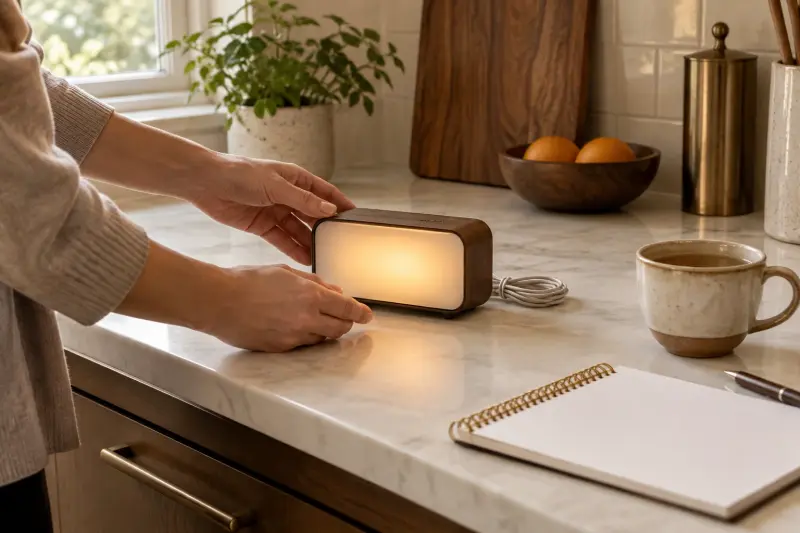
Place it where the person already looks. That may be beside the favorite chair, near the kitchen table, or opposite the bed. Keep the cord tidy and out of walkways so it does not become a trip hazard.
Check the clock after daylight saving changes and after any long power outage. Battery backup holds the time, but a quick look confirms the display is still right.
- Set language, time and date before handing it over
- Keep alarms few and clearly linked to one routine
- Run the cord along the wall, away from where people walk
- Avoid direct sun on the screen, which lowers contrast
- Recheck the display after clock changes and outages
When to get personal advice
A day clock is a low-cost orientation aid, not a treatment. If confusion is new, sudden or getting worse, speak to a doctor first, because there can be causes that need attention.
An occupational therapist can look at the whole home and suggest where clocks, lighting and labels help most. A pharmacist or doctor should decide how medicines are taken, even if you plan to use the clock's alarm as a prompt.
Involve the person who will live with the clock wherever you can. Ask where they would like it and whether the wording feels helpful or patronizing. Their own preference often decides whether a new aid is used or quietly turned to face the wall.
- New or sudden confusion: contact a doctor promptly
- Home layout and orientation aids: ask an occupational therapist
- Medicine timing: confirm the plan with a pharmacist or doctor
- Sleep problems at night: mention them at the next appointment
Common mistakes to avoid
The most common mistake is choosing a clock that is too small for the room. The second is placing it where nobody looks, such as on a shelf behind the chair.
Some families add too many alarms. A clock that beeps several times a day can become noise that is ignored or switched off. Start with one reminder and add more only if it helps.
Another mistake is changing the clock without telling the person who uses it. A new device in a familiar spot can be unsettling at first. Introduce it calmly, explain what it shows, and keep the old clock nearby for a few days if that feels easier.
- Buying by screen size alone without checking letter height
- Assuming every listing ships the same size as the brand page
- Setting many alarms at once
- Forgetting that the clock needs a nearby outlet
MAKE THE SPEND MEANINGFUL
Digital calendar clock: low-cost alternatives
- A large paper wall calendar with the day crossed off each evening, placed beside an ordinary large-number clock.
- A spare tablet or old phone set to a free full-screen day and date clock app, if someone can maintain it.
- A handwritten daily card on the fridge or table, updated by a family member or caregiver each morning.
In brief
Digital calendar clock: questions answered
What is a dementia clock?
A dementia clock is a digital clock that shows the time together with the full weekday, date and often a phrase such as morning or evening. It is designed to be read at a glance without decoding abbreviations. It can help some people keep track of the day, but it is an aid, not a treatment.

What size day clock should I buy for an elderly person?
Measure the distance from where the person sits or lies to where the clock will go. Then compare that with the letter height on the manufacturer page. A small clock suits a bedside table or kitchen counter, while a larger screen suits reading across a living room. Confirm the exact size on the listing.
Does a digital calendar clock need to be plugged in?
Many large-display day clocks run from a wall outlet. The American Lifetime clock, for example, plugs in with a 6 ft cord and uses battery backup only to keep the time during a power outage. Check the power method on the manufacturer page before choosing a spot.
Will a bright clock keep someone awake at night?
It can. The NHS advises that a bedroom can be made dark at night to help with sleep. Look for a clock with automatic dimming, or place it in a living area instead of the bedroom. If sleep is a concern, raise it with a doctor.
How this guide was prepared
AI-assisted editorial research, checked against the linked primary sources.
Written with AI assistance from the sources listed below and checked against them. We have not tested these products in person.
How we use sources and AI assistance ↗Sources & fact checks
The guide separates sourced facts from editorial questions and examples. How we use sources and AI assistance.
- NHS: Creating a dementia-friendly home (clocks, lighting and dark bedrooms) ↗
- American Lifetime: The Best Day Clock product page ↗
Found an error or an outdated detail? Contact the editorial team.