
In brief
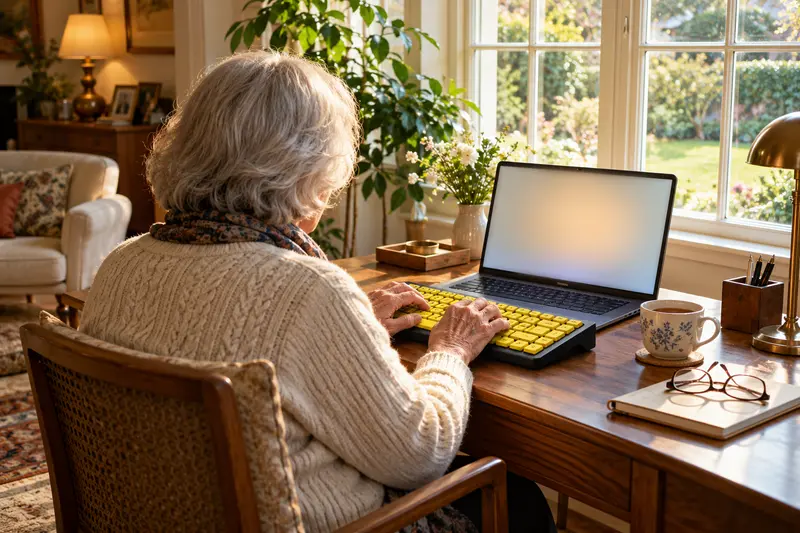
A large print keyboard has the same keys as a normal keyboard, printed with much bigger, high-contrast letters, such as black on yellow. It suits anyone who squints at the keys or types slowly because the letters are hard to find. Check the layout for your country first, then whether it is wired USB and works with your computer.
IN THIS GUIDE
Who a large print keyboard helps
Most keyboards have small grey or white letters on dark keys. With age, many people need more light and more contrast to read small print, and the keyboard is often the first place they notice it. Typing turns into a slow hunt, one finger at a time.
Say your mother writes emails to her grandchildren every Sunday. Lately she leans close to the screen, then closer to the keys, and gives up after a few lines. A large print keyboard puts each letter in bold, high-contrast type, so she can find the key at a glance and keep her eyes on what she is writing.
It also helps people who are new to computers and still learning where the keys are.
- People who lean in or use a magnifier to read the keys
- Anyone with low vision who still types by sight
- Beginners learning to type, at any age
- People who type in a dim room or by lamplight
- Family members setting up a computer for a parent
Large letters, large keys and backlighting: what differs
A large print keyboard usually keeps standard-size keys and enlarges only the letters. A large key keyboard makes the keys themselves bigger, which helps fingers that are stiff or shaky as well as eyes. Some keyboards do both, so read the listing closely.
Colour matters as much as size. Black letters on yellow keys and white letters on black keys are the common high-contrast choices. A backlit keyboard lights the letters from below, which helps in the evening but can feel glaring to some eyes.
Then think about the cable. A wired USB keyboard needs no batteries and no pairing, and it simply works when plugged in. For someone who finds technology tiring, that is often the calmer choice, even if a wireless one looks tidier.
- Large print: normal keys, bigger and bolder letters
- Large keys: bigger keys, easier for stiff fingers
- Yellow with black letters: very high contrast in daylight
- Black with white letters: calmer look, easier on some eyes
- Backlit: lit letters for dim rooms, check it can be turned down
Check the keyboard layout for your country
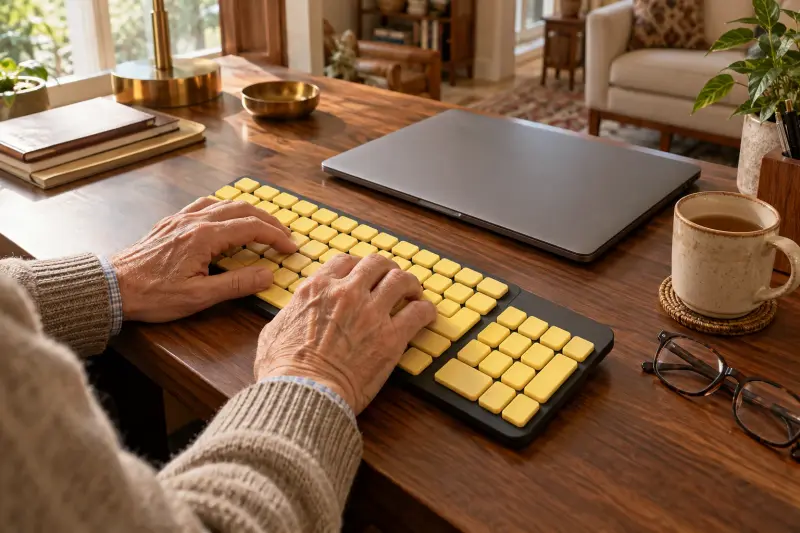
Keyboards are not the same in every country. US keyboards use the QWERTY layout, German keyboards use QWERTZ with umlaut keys, French keyboards use AZERTY, and Spanish keyboards add the letter ñ. A keyboard printed for the wrong country puts some letters and symbols in unfamiliar places.
That matters more on a large print keyboard, because the person is relying on what is printed on the key. If the letter on the key does not match what appears on the screen, it causes real confusion. Before you order, look at a photo of the whole keyboard and ask: "Is this the layout my computer is set to?"
Suppose your father moved from Germany to the US years ago and still types German letters to his sister. A keyboard printed for one country will not show the umlauts or accents he uses, so decide which one he types in most.
- Find the layout in the listing title or description
- Look for the @ sign and punctuation where you expect them
- Check the computer's language and keyboard setting matches
- Keep the old keyboard until the new one works
Our large print keyboard pick and what to look for
We list one keyboard, sold on Amazon.de for readers in Germany. Pearl, which sells the GeneralKeys brand, describes its large-character keyboard as made for seniors, beginners and people with vision problems. It is wired USB and works with Windows, Mac and Linux.
The maker page we could open shows the French AZERTY edition, now marked as unavailable. So check that the Amazon.de listing shows a German QWERTZ layout. Readers in the US can use the same checklist below for any listing.
When you read any listing, look for the same five facts: the letter size or style, the colours, the connection, the computers it works with and the layout. If one of them is missing, ask the seller before you order.
- Letters: large, high-contrast characters on the keys, per Pearl
- Connection: wired USB, so no batteries or pairing
- Computers: Windows, Mac and Linux, per Pearl
- Extra keys: shortcut keys for sleep, wake and PC control
- Size: 448 x 153 x 23 mm (17.6 x 6 x 0.9 in) for the French edition
Setting up the desk so the keyboard really helps
A large print keyboard works best in good, even light. Place a lamp to one side, so it lights the keys without shining into the eyes or reflecting off the screen. Avoid sitting with a bright window behind the screen.
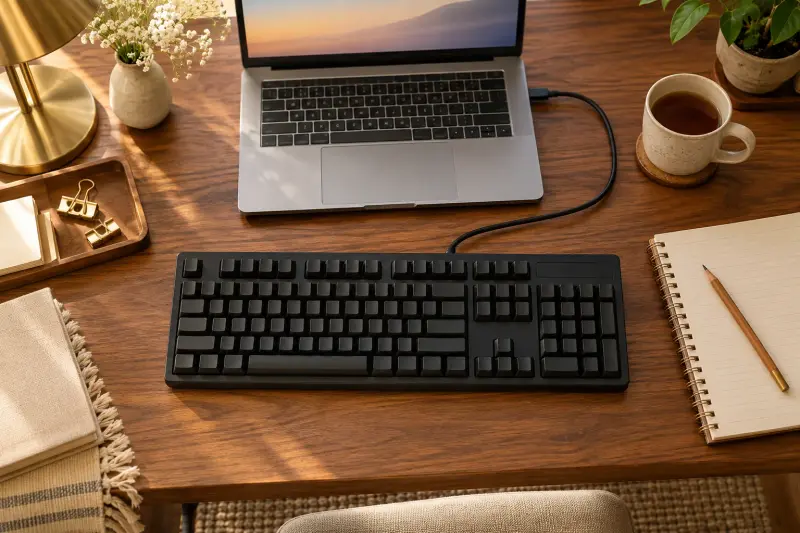
Imagine your father types at the kitchen table in the afternoon. A wired keyboard straight in front of him, the screen at arm's length and a lamp beside him can turn a frustrating session into a comfortable one.
The screen matters too. Windows and Mac both have built-in screen magnifiers and contrast settings in their accessibility settings. Make the text on screen larger at the same time as you change the keyboard.
- Put the keyboard straight in front of the user, close to the table edge
- Light the keys from the side, not from behind
- Turn backlighting down if it looks glaring
- Enlarge the text and pointer in the computer's settings
- Write a short note of how to undo any setting you change
When to see an eye care professional
A keyboard can make typing easier, but it cannot explain why the keys became hard to read. The National Eye Institute advises seeing an eye care professional about any change in eyesight. If glasses no longer help enough, ask about a low vision specialist.
An occupational therapist can also help when typing is hard for the hands as well as the eyes. A useful question to bring is: "Would larger keys, a different colour or a screen magnifier help me most with typing?"
- Book an eye exam if reading print is getting harder
- Ask about low vision services if glasses are not enough
- Ask an occupational therapist if fingers are stiff or shaky
- Bring an example of the task that is hard, such as an email
MAKE THE SPEND MEANINGFUL
Large print keyboard guide: low-cost alternatives
- Large-print keyboard stickers can go on the keyboard you already have
- Turn on the screen magnifier and larger text built into Windows or Mac
- Ask a library, senior center or low vision service whether you can try a large print keyboard first
In brief
Large print keyboard guide: questions answered
What is a large print keyboard for seniors?
It is a computer keyboard with the usual keys, printed with much bigger, bolder letters in high-contrast colours, such as black on yellow. The aim is simple: to read each key at a glance instead of leaning in or hunting for it. Most plug in by USB and need no setup beyond choosing the right country layout.
Is a large print keyboard the same as a large key keyboard?
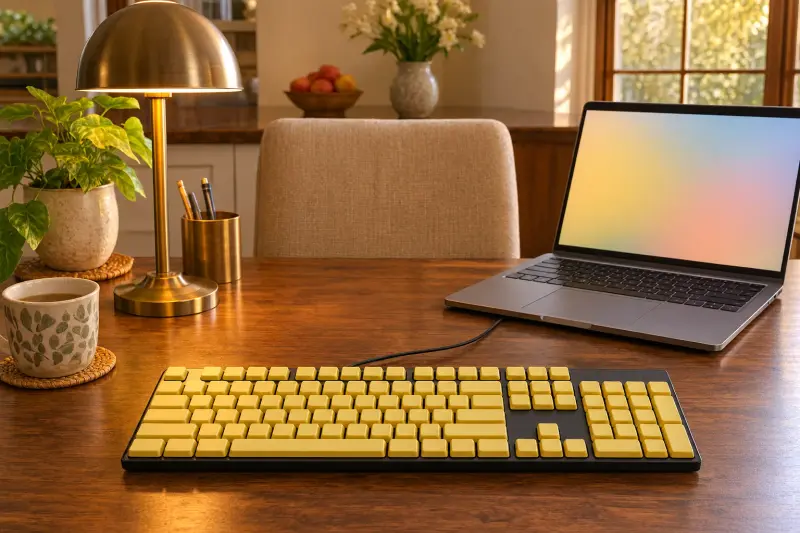
Not quite. A large print keyboard usually has normal-size keys with enlarged letters, which helps the eyes. A large key keyboard has bigger keys, which helps stiff or shaky fingers as well. Some models do both. If pressing the right key is the main problem, look for bigger keys and ask an occupational therapist.
Which colour keyboard is easiest to read with low vision?
High contrast is what matters. Black letters on yellow keys and white letters on black keys are the common choices. Many people find yellow easier in daylight and black calmer in the evening, but eyes differ. If you can, try both side by side, or ask a low vision service which suits the person's sight.
Do large print keyboards work with a Mac?
Some do and some do not, so check the listing before you buy. Pearl lists its GeneralKeys large-character keyboard as working with Windows, Mac and Linux. On a Mac, a few keys such as Command may be labelled for Windows instead, so check a photo of the keyboard first.
How this guide was prepared
AI-assisted editorial research, checked against the linked primary sources.
Written with AI assistance from the sources listed below and checked against them. We have not tested these products in person.
How we use sources and AI assistance ↗Sources & fact checks
The guide separates sourced facts from editorial questions and examples. How we use sources and AI assistance.
- Pearl: GeneralKeys USB keyboard with large high-contrast characters (French edition) ↗
- National Eye Institute: Living With Low Vision, seeing an eye care professional ↗
Found an error or an outdated detail? Contact the editorial team.