
In brief
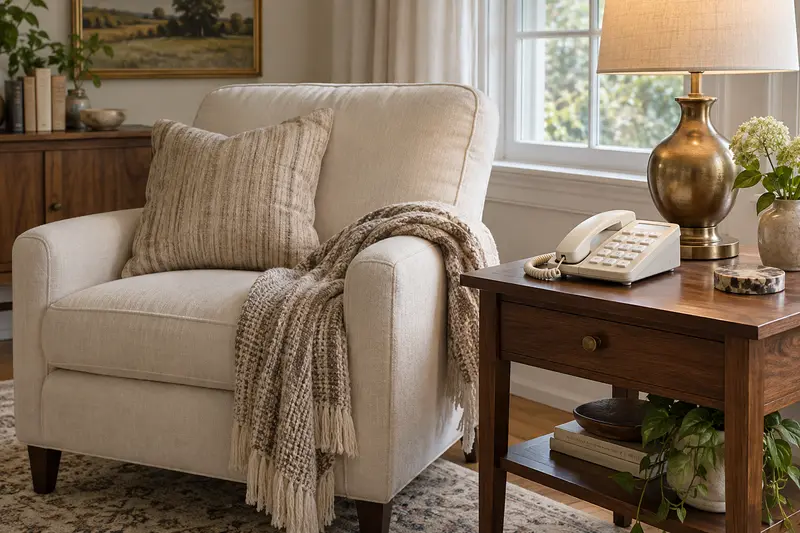
The right phone for elderly users depends on where they make calls. If most calls happen at home and a landline is still connected, a corded big button phone with a loud ringer and answering machine is the simplest choice. If the person goes out alone, a cell phone matters more. Check button size, display contrast and ringer volume first.
Shortlisted for this decision
Affiliate-
Shortlisted
AT&T CL4940 Big Button Phone
For landline users needing big buttons
Extra-large keys, a backlit tilting display, a loud ringer with light and an answering machine, on a corded phone with no handset battery.
Check price on AmazonCheck first: Needs a working landline jack near the chair; not a substitute for an amplified or captioned phone.
-
Shortlisted
AT&T 213 Trimline Big Button Phone
For wall mounting without a power outlet
Extra large lighted buttons, a visual ringer and 10 speed dials on a slim phone that mounts on a wall plate and needs no power outlet.
Check price on AmazonCheck first: AT&T mentions no caller ID or answering machine, and it still needs a working landline jack.
Affiliate links: we may earn a commission from qualifying purchases at no extra cost to you. Prices are shown only on Amazon. Amazon.com (US listing). See the full comparison ↓
Documented options
Phone for elderly users: options compared
Options based on manufacturer documentation. Retailer links are affiliate links: we may earn a commission from qualifying purchases.
Affiliate retailer links
-
AT&T CL4940 Corded Phone with Digital Answering System, Caller ID, Large Tilt Display
Exact variant: Corded, with digital answering system
View product details on Amazon — United States
Affiliate retailer links
-
AT&T 213 Trimline Corded Phone, Extra Large Buttons, Wall Mount
Exact variant: 213, White
View product details on Amazon — United States -
AT&T 213 Trimline Corded Phone, Extra Large Buttons, Wall Mount
Exact variant: 213, White
View product details on Amazon — France
IN THIS GUIDE
Home phone or cell phone: choosing a phone for elderly users
Start with how the person lives, not with the handset. A home phone suits someone who mostly stays in, already has a landline and finds touchscreens frustrating. A cell phone for seniors suits someone who drives, walks alone or wants to reach family from anywhere.
Many households keep both. The home phone handles long conversations in a favorite chair, while a simple cell phone goes out in a pocket or bag. This guide focuses on the home phone side, where big buttons and a loud ringer make the most difference.
Check the line before you shop. Some homes have moved their landline to an internet or cable service, which usually still works with a corded phone but may stop during a power or internet outage. Ask the phone company how the line behaves in an outage, and keep a charged cell phone as a backup.
- Mostly at home with a working landline: a big button home phone
- Goes out alone: a cell phone they can unlock and answer
- Struggles with touchscreens: physical keys on whichever phone they use
- Hearing loss: get advice on amplified or captioned phones
What to check on a big button phone
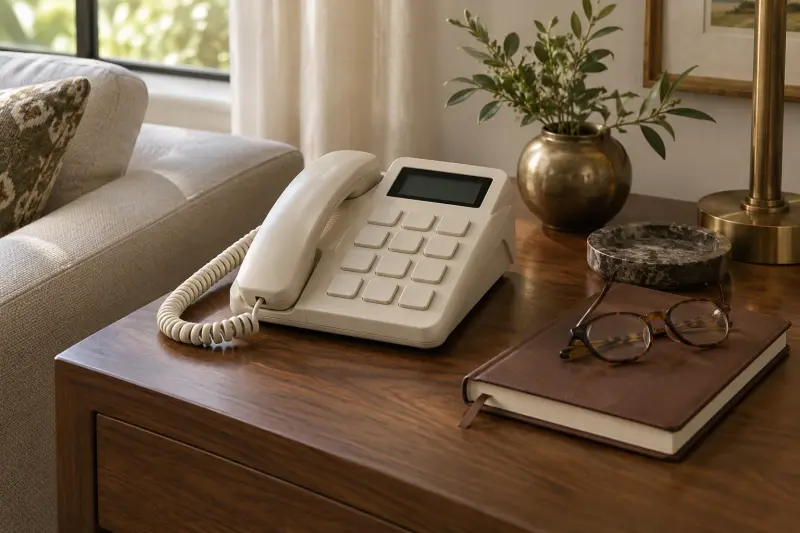
Big buttons help only if the numbers on them are large and high contrast. Look for keys with an enlarged font and a clear gap between them, so fingers do not press two at once.
The display should be backlit and readable from the chair. A tilting screen helps when the phone sits low on a side table. Caller ID with name and number lets the person decide whether to answer without rushing.
Check the ringer. A loud, adjustable ringer and a flashing light help someone notice a call from another room.
A speakerphone in the base is useful for longer calls, because nobody has to hold a handset for half an hour. Try it from where the person sits. If background noise from a TV or kitchen makes speech unclear, the handset may still be the better habit.
- Large keys with enlarged, high-contrast numbers
- Backlit display that can tilt toward the user
- Caller ID that shows the name as well as the number
- Extra loud ringer plus a visual ringing light
- An answering machine so calls never need a rush
How the AT&T CL4940 compares
One product in this guide has a verified manufacturer page and a matching Amazon listing: the AT&T CL4940 corded speakerphone. The facts below come from the AT&T telephones page and the Amazon title, not from our own testing.
It is a corded phone, so it needs a landline jack and stays in one spot. That is a trade-off: it cannot be carried, but it is always in the same place and has no handset battery to charge.
Other big button home phones are sold online, but we only list products whose brand publishes its own page for the exact model. If you compare another phone, use the same five attributes below so the choice stays like for like.
- Keys: extra-large buttons with an enlarged font
- Display: backlit, tiltable screen showing name, number, time and date of calls
- Sound: Audio Assist with an equalizer, a base speakerphone and an extra loud ringer with visual indicator
- Answering: digital answering system with up to 25 minutes of recording
- Memory: 50 caller ID entries and last number redial
Safety habits and hearing support
A ringing phone can make people hurry. The American Geriatrics Society's Health in Aging tip sheet notes that many people fall trying to answer the phone, and suggests carrying a cordless or cell phone or letting an answering machine pick up.
If calls are hard to follow even at full volume, the phone may not be the real problem. The National Institute on Deafness and Other Communication Disorders describes captioned telephones that show a written transcript of the other person's words. An audiologist can advise whether that kind of device fits.
Scam calls are another reason to value caller ID and an answering machine. When unknown numbers go to the machine, the person can listen later and decide calmly whether to call back.
- Let the answering machine take calls rather than rushing
- Place the phone beside the chair used most
- Keep a cell phone or cordless handset for other rooms
- Ask an audiologist about amplified or captioned phones
Setup and simple habits
Set the phone up with the person, not for them. Record a short greeting together, set the ringer volume they prefer and check that the display tilt suits their eye level from the chair.
Write a short list of key numbers in large print and keep it beside the phone. Check the answering machine together for the first few days until playing messages feels routine.
Think about where the phone sits at night. If the person sleeps upstairs and the phone is downstairs, a late call can lead to a hurried trip on the stairs. Turning the ringer down at night and letting the machine answer keeps calls from becoming a rush.
- Confirm a working landline jack is near the chair
- Record a clear greeting together
- Set ringer volume while sitting where calls are taken
- Keep a large-print number list by the phone
- Test caller ID with a call from a family member
Common mistakes to avoid
The most common mistake is buying a phone the person did not choose. A handset that feels unfamiliar may sit unused. Show them the options and let them press the keys before deciding.
Another is assuming a big button phone fixes hearing problems. Loud ringers help with noticing calls, but understanding speech is a different issue.
A third mistake is overloading the phone with features the person will never use. Speed dial, call blocking and menus can help, but each one is another thing to learn. Set up only what solves a real problem, such as unwanted calls, and leave the rest switched off.
- Buying a corded phone without a working landline
- Choosing big keys with small, low-contrast numbers
- Placing the phone far from the chair used most
- Skipping a hearing check when calls are hard to follow
MAKE THE SPEND MEANINGFUL
Phone for elderly users: low-cost alternatives
- Adjust an existing phone: raise the ringer, enlarge the display font and add large-print stickers to keys.
- Ask your phone company or state relay program about free or reduced-cost amplified or captioned phones for people with hearing loss.
- Use an older cell phone with physical keys as a backup for calls from other rooms.
In brief
Phone for elderly users: questions answered
What is the easiest phone for an elderly person to use?
The easiest phone is the one that fits how they live. For someone mostly at home with a landline, a corded big button phone with a loud ringer and caller ID is simple because it has no battery to charge. For someone who goes out alone, a basic cell phone with physical keys may suit better.
Do big button phones help with hearing loss?
They help someone notice and see a call, but not always understand it. Features like an extra loud ringer and audio boost can help with mild difficulty. If speech is still hard to follow, the NIDCD describes captioned telephones that show a transcript. An audiologist can advise which fits.
Should seniors keep a landline?
A landline can be useful for someone who stays home most of the day and prefers a fixed phone with large keys. It also keeps a phone in the same place every time. Check with the phone company about service in your area, and keep a cell phone for time away from home.
Why choose a phone with an answering machine?
An answering machine removes the pressure to reach the phone before it stops ringing. The American Geriatrics Society notes that many people fall trying to answer the phone and suggests letting an answering machine pick up. Messages can be played back calmly afterward.
How this guide was prepared
AI-assisted editorial research, checked against the linked primary sources.
Written with AI assistance from the sources listed below and checked against them. We have not tested these products in person.
How we use sources and AI assistance ↗Sources & fact checks
The guide separates sourced facts from editorial questions and examples. How we use sources and AI assistance.
- AT&T Telephones: CL4940 corded speakerphone with answering system ↗
- American Geriatrics Society, Health in Aging: Home Safety Tips for Older Adults ↗
- NIDCD: Assistive devices for people with hearing, voice, speech or language disorders ↗
Found an error or an outdated detail? Contact the editorial team.