
In brief
Try the exact lift recliner remote before ordering, including how it is reached, understood and stored. A large button or a programmable position can be useful only when the intended user can operate it appropriately.
IN THIS GUIDE
Ask to see the remote supplied with the exact order
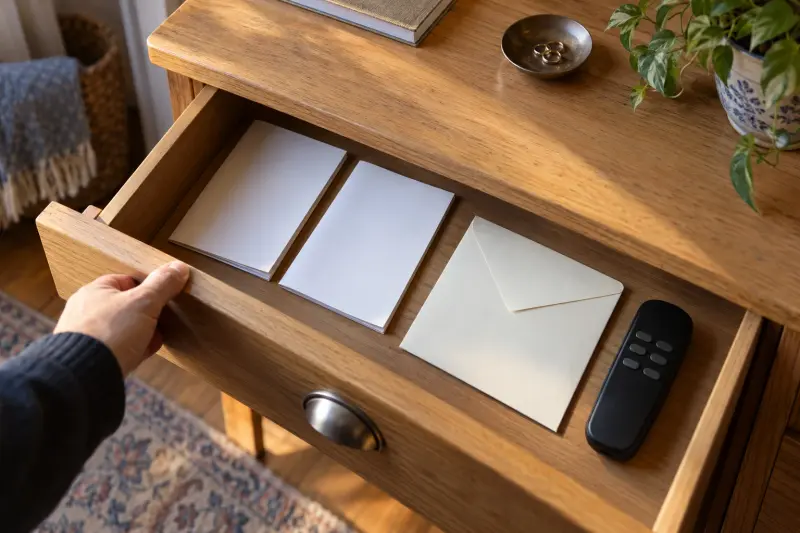
A lift recliner remote is part of the equipment decision, not a small detail to inspect after delivery. Ask the seller to show the hand control supplied with the exact chair, size and options. A collection photograph can display a different control from the one included in another configuration.
Pride's VivaLift insert illustrates several hand controls and notes that some supplied versions have fewer options than its highest-function illustration. That makes exact identification worthwhile. A buyer should know which current instructions describe the ordered remote rather than relying on a picture shared across several product pages.
The cited US-published Pride manual carries a prescription-use sale caution and describes provider involvement. For other markets, obtain the local device documentation rather than infer the requirements from this US reference. Address those requirements and personal operation questions for the actual device. This article does not assess cognition, dexterity or eligibility, and it does not provide a universal operating sequence.
Record the remote reference where available, the relevant functions and any approved alternative. Ask whether the demonstrated control will be supplied. If the answer is uncertain, keep that uncertainty visible in the order comparison. A chair that fits the room and seat requirements can still present an unresolved control task for the person who will use it.
Prepare a short list of ordinary control tasks
List what the user needs to understand in daily use. This might include reaching the control, identifying the agreed movement, stopping through the approved method, recognising an indicator and returning the remote to its intended storage. Let the provider explain the tasks and restrictions for the exact device.
Keep the list focused. A long checklist of every possible feature can overwhelm a useful demonstration and distract from the actions the person actually needs. Separate core chair operation from optional heat, charging or memory features. An option does not become necessary merely because the remote offers it.
For a fictional reader, the main questions concern reading position, remote storage and understanding two similar labels. The provider plans the demonstration around those issues. The companion records answers while the intended user participates appropriately; the companion's successful operation does not replace the user's discussion.
Use the record to identify questions rather than create an invented score. “Label needs further explanation” is useful. “Failed the remote test” implies an assessment this guide is not qualified to administer. Where the observation raises personal suitability concerns, seek the appropriate advice instead of substituting a bigger-button controller by guesswork.
Compare label clarity in the ordinary room conditions
Look at the labels, symbols and contrast on the actual remote. Ask the user what they understand and what requires explanation. A large button can still have an unclear symbol, while a smaller control might have a clear function label. Size alone is not evidence of usability for a particular person.
Consider where the chair will be used and the available light. A control visible in a bright showroom may raise another question in an evening reading corner. Record that difference and ask the provider about the appropriate arrangement. Do not invent a measured accessibility or brightness rating from a photograph.
An illuminated label can be a useful feature to investigate, but ask what is illuminated and when. Do not assume every button, mode or indicator remains equally visible, or that lighting resolves a vision concern. Personal vision needs belong with appropriate advice as well as the product demonstration.
Avoid adding stickers or covers without checking whether they are permitted and whether they obscure necessary instructions or indicators. A homemade label can introduce ambiguity if a function has more than one behaviour. The safer purchasing enquiry is for an approved control and a clear explanation that the intended user can appropriately understand.
Discuss grip and button action without diagnosing ability
Ask the provider to demonstrate how the actual hand control is intended to be held and operated. The user can describe whether it feels awkward, whether a particular action is difficult or whether the control is practical to keep nearby. Those observations support a comparison without creating a diagnosis.
Do not recommend a controller for a medical condition solely because it has a toggle, large button or ergonomic description. The exact task, individual circumstances and supported demonstration matter. If a health concern affects handling, seek appropriate professional input and ask the provider about permitted equipment options.
For a fictional comparison, Candidate A's remote has a shape the reader prefers but the relevant movement label remains unclear. Candidate B's label is understood, yet storage reach is unresolved. Those are different questions. Record control comprehension and storage reach separately, rather than treating both as a single “easy remote” rating.
Include the person who will help explain or support operation, where appropriate, without assuming they will always be available. Ask how instructions are provided and what happens if understanding changes. A good purchasing record names the actual support arrangement rather than treating a companion's presence at one showroom visit as permanent proof of independent use.
Ask how controls relate to the chair’s movements
Ask the provider to explain which movement each relevant control operates and whether it affects more than one component. Keep the explanation tied to the current manual and exact chair. A universal diagram can mislead when several remotes share a similar shape but different functions.
A linked back-and-leg-rest arrangement creates different questions from independent component controls. The user needs to understand the actual behaviour, not infer it from a motor-count label. Ask for a supported demonstration of the ordinary approved tasks and the correct method of stopping movement.
Avoid following a generic online transfer or standing routine. A lift function interacts with personal needs and the actual device instructions. Ask the provider and appropriate professional adviser to explain the relevant arrangement for the individual and exact chair. A shopping guide cannot establish how that person should get into or out of the equipment.

Record any unexpected behaviour as a question. If a display chair operates differently from the seller's description, ask for clarification before ordering. Avoid assuming that the difference is harmless or that another control can be plugged in to change it. The chair and control are a specified system, not interchangeable household remotes.
Check what memory and preset functions actually do
A memory position can sound like a shortcut, but ask how it works on the exact configuration. Which components are affected? Is the stored position specific to that chair setup? How does the user stop or change the approved action? The provider should explain the current instructions rather than relying on a one-touch slogan.
Pride's VivaLift insert identifies memory functions on particular illustrated controls. That does not establish their presence on every chair in the collection or the behaviour of another manufacturer's remote. Confirm what is supplied and demonstrate it through the proper procedure.
For a fictional reader, a preset seems convenient for a preferred reading arrangement, but the user is unsure how it differs from another function. The task sheet records the question for further explanation. It does not declare presets inappropriate for all users or promise they eliminate every operation difficulty.
Separate a favourite position from a clinical positioning objective. A stored setting is not a medical recommendation, and this guide does not select one for sleep, circulation, pain or another health concern. Where such a need matters, seek appropriate individual advice before treating the feature as a reason to buy.
Plan reachable storage through the relevant positions
Ask where the remote is intended to be stored on the actual chair. A side pocket, approved holder or another arrangement may be supplied, but its practical reach should be discussed with the user and provider. A pocket being present does not prove it is conveniently reachable in every position.
Consider the tasks the user needs while seated in the agreed positions. The question is how the remote remains accessible without introducing another unsafe reach or movement issue. This article cannot assess personal reach or transfer ability. Seek the appropriate advice when the arrangement is uncertain.
For a fictional reading setup, the remote can be stored in the supplied pocket when upright, but the user raises a question about reaching it in another permitted position. The provider reviews the arrangement. The buyer does not immediately order a generic dangling organiser that could obstruct the chair's motion.
Try the existing approved storage before buying extras. If a holder is needed, confirm exact compatibility, installation responsibility and movement limits. A low-priced add-on can be poor value if it creates a new cable or obstruction question. The right accessory has a defined task and an arrangement the provider can support.
Keep remote and charging cables out of conflicting paths
Record the hand-control cable route alongside the chair's movement envelope. Ask the provider how the actual configuration keeps it clear of moving parts and ordinary routes. Do not move internal wiring, attach improvised clips or tuck cords into a mechanism to make the room look tidy.
Distinguish the remote cable from the mains and power-unit route. Optional USB or other device-charging cables add another task. A phone cord crossing the room is not automatically appropriate because the chair has a charging port. Ask how any permitted use fits the approved arrangement.
In a fictional room, the chair's remote is convenient but a reading phone is placed on a distant side table. The household can consider another appropriate location for the phone rather than buying a longer cable. Any device and cable requirements still come from the manufacturer.
Keep neatness subordinate to the exact technical requirements. A concealed cord can be harder to inspect or can pass through an unsuitable space. The useful purchasing question is whether the approved control arrangement works in the intended room, not whether every cable can disappear from view. Qualified support should handle technical changes where required.
Confirm replacement and approved alternatives before relying on them
Ask how a replacement hand control is identified and ordered for the exact chair. Model, configuration and possibly serial information may matter. A remote with a similar connector or housing is not established as compatible. Use the manufacturer or appropriate provider route rather than guessing from a marketplace photograph.
Golden's FAQ directs recliner replacement-parts and optional-accessory enquiries through the retailer. That provides a starting route, not a guarantee that a particular controller is immediately available or suitable for another model. Ask about current stock, approval, fitting and any relevant support.
If an alternative remote is proposed, request a written explanation of compatibility and the functions it provides. A simpler appearance might remove a needed function or change the control experience. Do not assume a universal large-button replacement can be used to bypass an unresolved personal operation concern.
Include actual replacement and service quotations only if needed for the comparison. This guide does not invent a typical remote cost or failure interval. A practical support answer can be valuable before purchase, especially if the reader depends on the control for ordinary use, but it should remain evidence about the actual route and configuration.
Ask for instruction that survives the showroom visit
Find out how the user receives the current instructions and explanation. A demonstration can be helpful, but the reader may need a clear way to revisit a question after delivery. Ask the provider which literature applies and how further support is requested.
Keep a short task record with the model and remote identity. Note the ordinary questions resolved and the provider contact route. Avoid creating a substitute instruction manual that omits warnings or merges functions from several products. The actual supplied instructions remain necessary.
For a fictional household, one family member attends the demonstration while another helps after delivery. A clear equipment record helps them ask the right provider question later. It should not imply that either family member is trained to assess suitability or repair the control. Support roles need to be understood rather than invented.
Ask what happens if the user becomes uncertain about operation or the chair behaves differently. Seek appropriate advice before continuing unfamiliar actions or trying another controller. A changed need can require a new review. A successful past demonstration is useful evidence of that occasion, not an indefinite approval for every future condition.
Compare the complete control arrangement with the quote
Check that the quotation identifies the remote and any approved holder or option relied on in the demonstration. Ask whether the control changes with selected features. A chair ordered without an optional function may be supplied with a different control, so confirm rather than assume.
Separate necessary operation requirements from preferred extras. USB charging, heat and memory can be optional in some comparisons, while the user must still appropriately understand core chair operation. A premium function should not distract from an unresolved label, reach or support question.
Use actual delivered quotes and return terms for the precise configuration. A product warranty does not necessarily provide a free change because the buyer dislikes the control. Ask about untried configurations before payment, especially where special-order features or setup services are involved.
A no-purchase next step may be another supported demonstration or clearer appropriate advice. Buying an accessory remote simply because it looks easier is not a substitute. The strongest comparison explains the actual control tasks, the supplied configuration and the remaining questions without inventing a universal winner or accessibility score.
Check the supplied remote and keep the enquiry record
At delivery, ask the provider to identify the supplied control and explain the agreed approved tasks. Compare the chair and remote with the order. If a different version arrives, ask what the difference means before assuming that the old demonstration applies.
Keep the current instructions, task record and support contact together. If a control becomes damaged, behaves unexpectedly or no longer meets the person's needs, use the appropriate support route. This guide does not provide internal repair, rewiring or connector-substitution instructions.
Review storage and cable arrangements after other furniture changes. A new side table or lamp can create a conflict even when the remote itself is unchanged. Ask about the complete room setup if reach or movement becomes uncertain; do not fix it by hanging an improvised holder near the mechanism.
A good remote decision is specific enough to repeat: this is the supplied controller, these are the ordinary tasks understood, this is the approved storage arrangement and this is the support route. That helps the reader buy useful capability without confusing a large button, memory label or premium remote photograph with personal suitability.
An approved replacement-controller quotation needs its own scope. Ask whether it includes only the component or also the required provider fitting, checks and explanation. Confirm whether it restores the supplied chair's existing functions; advertised memory, heat or other controls still need confirmation for that exact chair. A control pictured with extra buttons is not evidence of an approved feature upgrade or permission to alter the chair's electrical system.
MAKE THE SPEND MEANINGFUL
Before adding to the basket.
- Use supplied approved storage before buying a holder.
- Request clearer instruction or another exact-control demonstration before ordering a generic replacement.
- A simple task notebook and existing document folder can preserve the comparison without a paid app or remote accessory bundle.
How this guide was prepared
AI-assisted editorial research, checked against the linked primary sources. Product testing and a credentialed individual review are not claimed.
AI-assisted, source-checked editorial; no hands-on test, human expert review or personal suitability assessment claimed
How we use sources and AI assistance ↗Sources & fact checks
The guide separates sourced facts from editorial questions and examples. We have not claimed hands-on product testing. How we use sources and AI assistance.
- Pride VivaLift control reference: several supplied-control configurations, presets and feature differences ↗
- Pride US-published lift-chair owner manual: provider requirements and prescription-use restrictions; US-published document, local market requirements need separate verification ↗
- Golden manufacturer FAQ: replacement parts and optional accessories are requested through the retailer ↗
Found an error or an outdated detail? Contact the editorial team.